
THE PRODUCT
From planned work
to fulfilled commitments.
Review start conditions, connect handoffs between teams, and learn from field outcomes.
01 / Prepare
Materials, drawings, and prior work all matter before a crew can start.
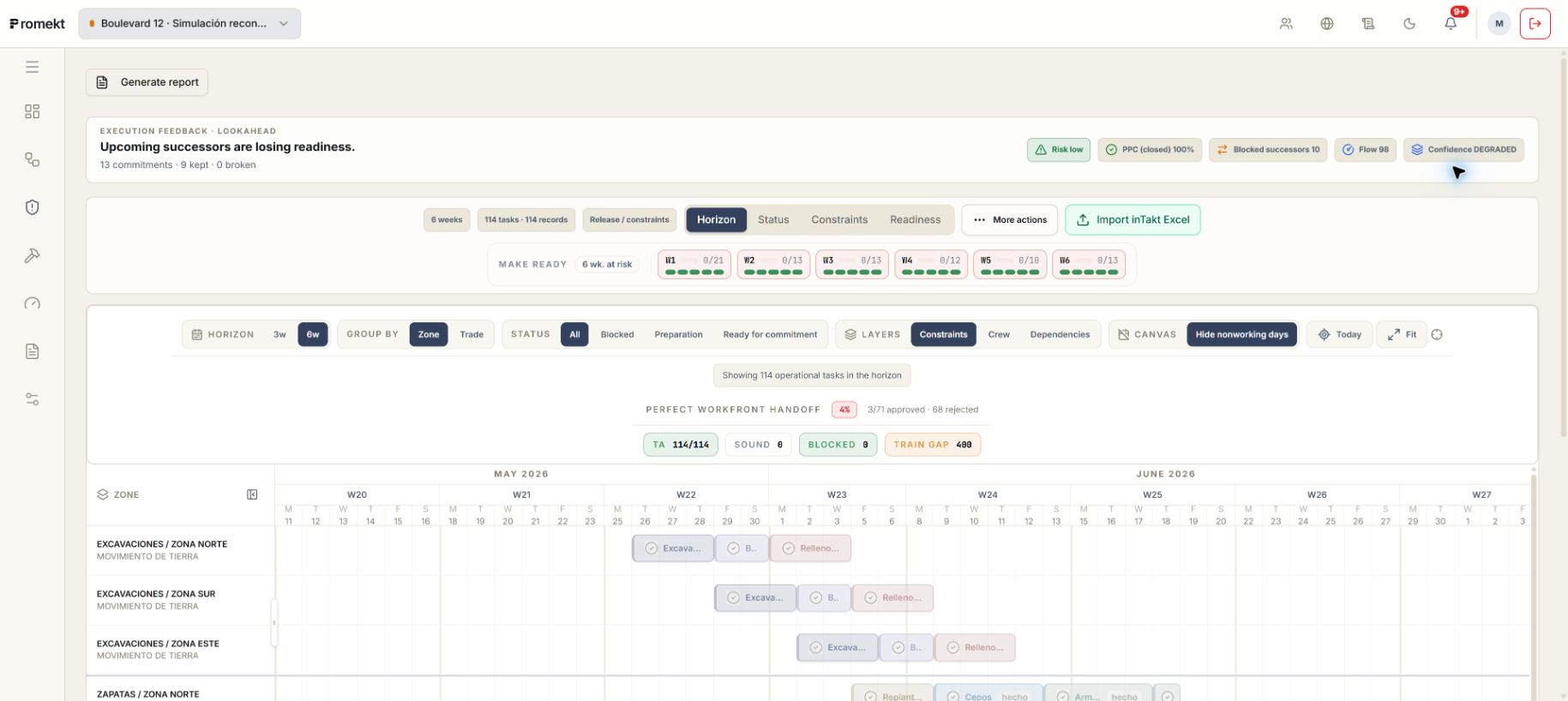
Make Ready: check whether the work is ready.
Lookahead organizes upcoming work. Make Ready releases tasks that meet the required conditions; then the team decides what to commit to the weekly plan.
Previous workVerified
MaterialsVerified
CrewVerified
InspectionPending
Make Ready review
Stays in preparation
 Enlarge screenshot
02 / Coordinate
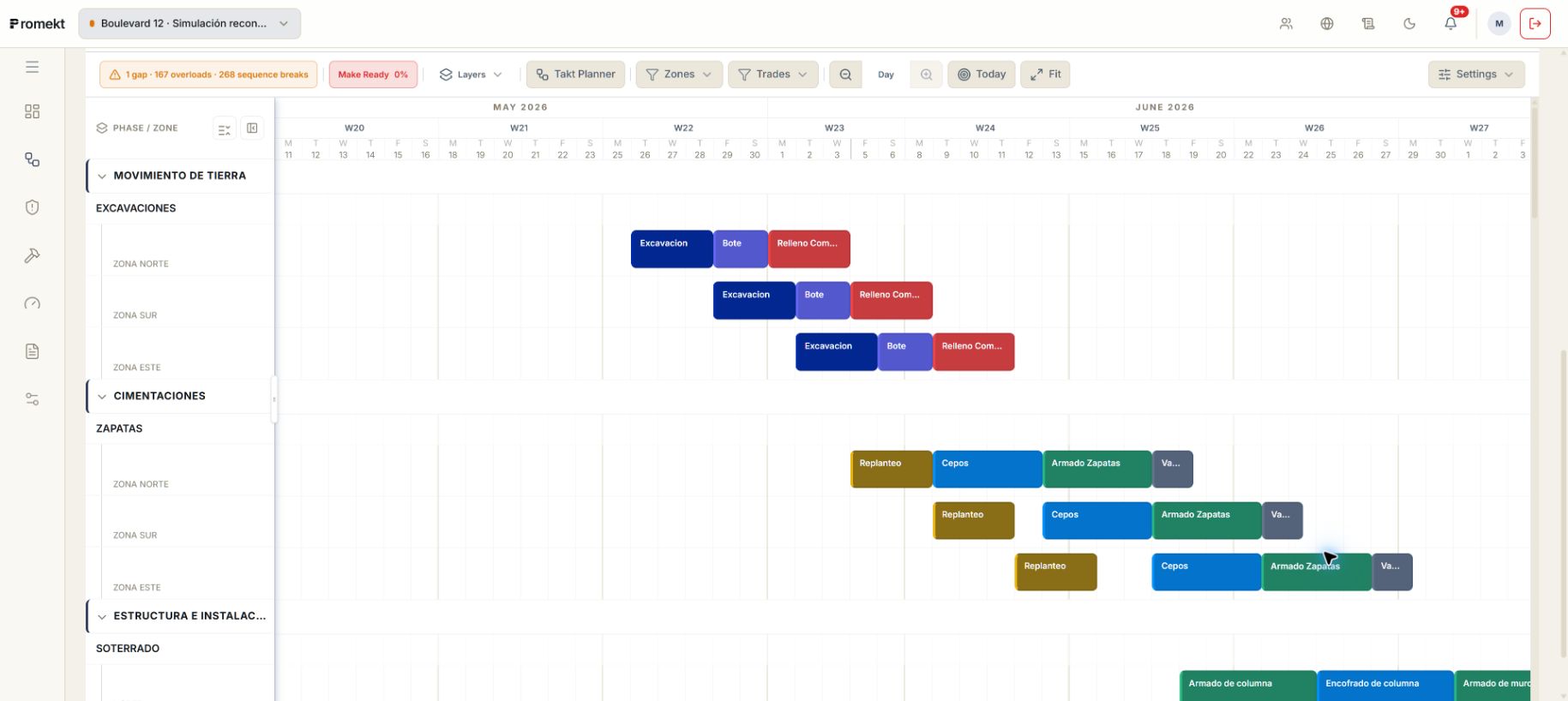
One team's work marks the next team's start.
Connect work by zone and agree on sequence and handoff dates with the teams.
01Services
02Inspection
03Closure
01Services
02Inspection
03Closure
01Services
02Inspection
03Closure
01Services
02Inspection
03Closure
 Enlarge screenshot
03 / Follow
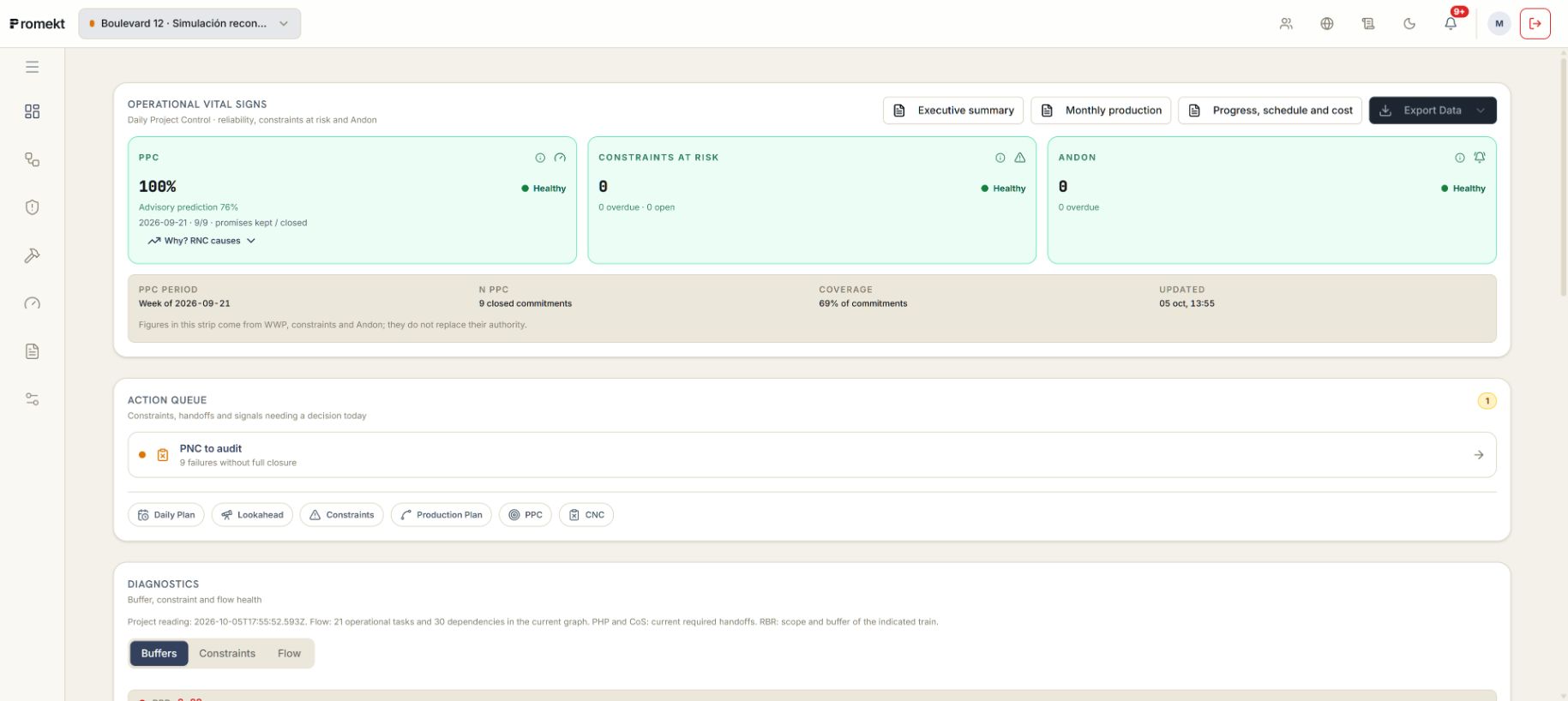
Compare this week's commitments with what was completed.
Review each team's commitments, identify completions, and record the reasons for missed commitments.
01Make Ready review
02Team agreement
03Weekly commitment
04Field outcome
 Enlarge screenshot
THE PRODUCTION JOURNEY
Every step has a distinct role.
Explore the information each stage needs, what it contributes, and who validates its decisions.
Plan
Master plan
Organize the major phases and identify their delivery milestones.
Phase plan
Agree with the teams on what must happen before each handoff.
Production plan
Show trade handoffs by zone and date.
Prepare
Lookahead planning
Spot early what could keep work from being ready for the weekly plan.
Make Ready
Check that work is ready before making a weekly commitment.
Constraints
Make blockers to starting work visible and track their resolution.
NEXT STEP
Review how your team could work with Promekt.
In a demo, we review the product together and answer questions about applying it to your project.
Request a demo